TradingView Review (2026)
TradingView is the platform most traders end up measuring everything else against: the deepest community, strong screeners, the widest asset coverage, and a free tier that's genuinely usable. It just leaves automation and backtesting to its rivals.
Contains affiliate links — they never affect our score. How we rate.
Best for
Charting, community scripts, and broad asset coverage — from total beginners to active chart-driven traders.
Avoid if
Traders who need automated pattern detection or no-code backtesting — that's TrendSpider's turf, not this.
Quick facts
| Type | Charting & analysis platform (not a broker) |
| Free plan | Yes — usable for chart analysis |
| Starting price | $12.95/mo (Essential) |
| Standout | Largest community script library (Pine) |
| Biggest gap | No no-code backtesting or auto pattern detection |
| Asset coverage | Stocks, futures, forex, crypto |
Most charting tools land in one of two camps: bloated terminals that need a small fortune and a weekend to load a single candle, or toy apps that gamify your account straight into the ground. TradingView is the rare one that sits in the middle — fast enough for a scalper, simple enough for someone who opened their first brokerage account last Tuesday. After charting equities and futures on it daily, here's where that reputation holds up, and the two places it quietly falls short.
What TradingView actually is
It’s a browser-based charting and analysis platform — not a broker, though it connects to several. The free tier covers basic chart analysis; the paid tiers unlock real-time data, more charts per layout, and more alerts. Its real edge is breadth: stocks, futures, forex, and crypto in one place, plus the largest library of community-built indicators and strategies anywhere.
Who it’s for — and who should skip it
If you need serious charting without a steep learning curve, this is the default, and the community scripts and broad coverage are hard to beat. Skip it if your priority is automated pattern recognition or no-code backtesting — those are exactly the gaps that send people to TrendSpider or TC2000.
How I tested it
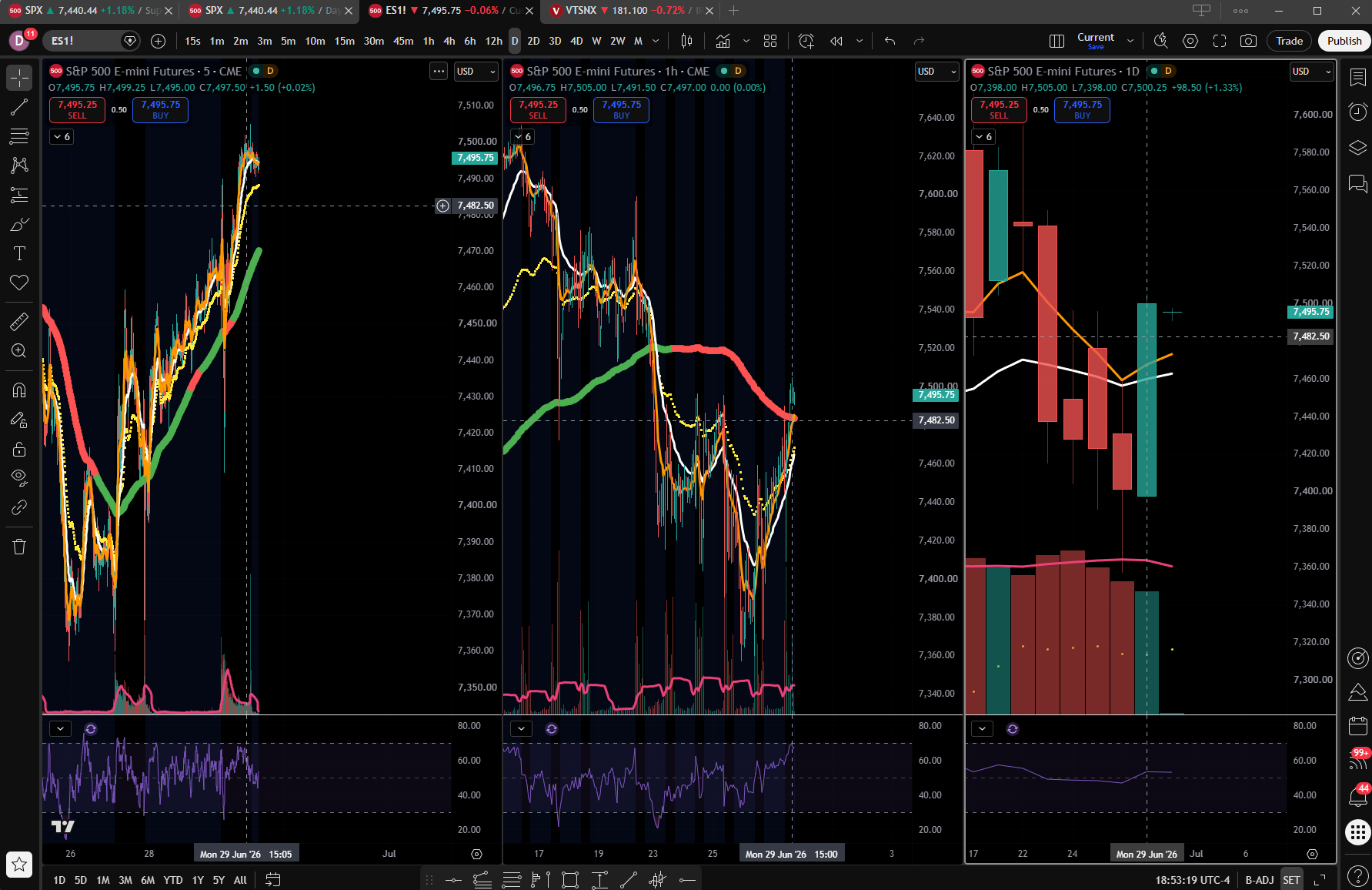
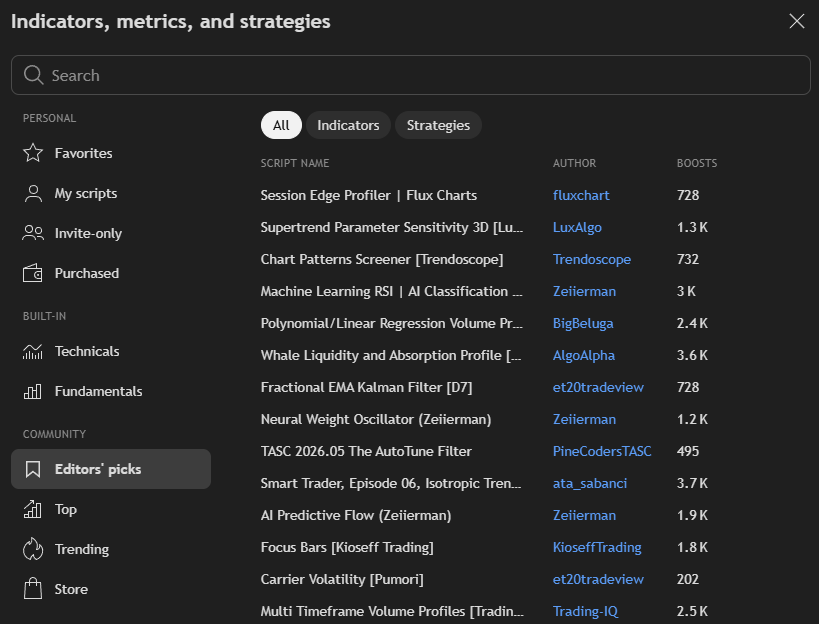
I tested TradingView the way I actually trade — across four timeframes (5-minute, hourly, daily, and weekly), switching between them to line up the short-term setups against the bigger trend. I run the traditional indicators I trust, mostly RSI and a few moving averages, but I also spend real time in the “Indicators & Strategies” library trying out new ones. Fair warning from experience: that library is a rabbit hole. The selection is enormous, and you can lose days bolting on and tweaking new indicators instead of actually trading. That’s TradingView in a nutshell — the depth is a genuine strength, but the discipline to stop tinkering and place the trade is on you, not the software.
Performance and reliability
Performance is genuinely good — charts are fast and responsive across every timeframe I threw at them, and I didn’t hit lag in normal use.
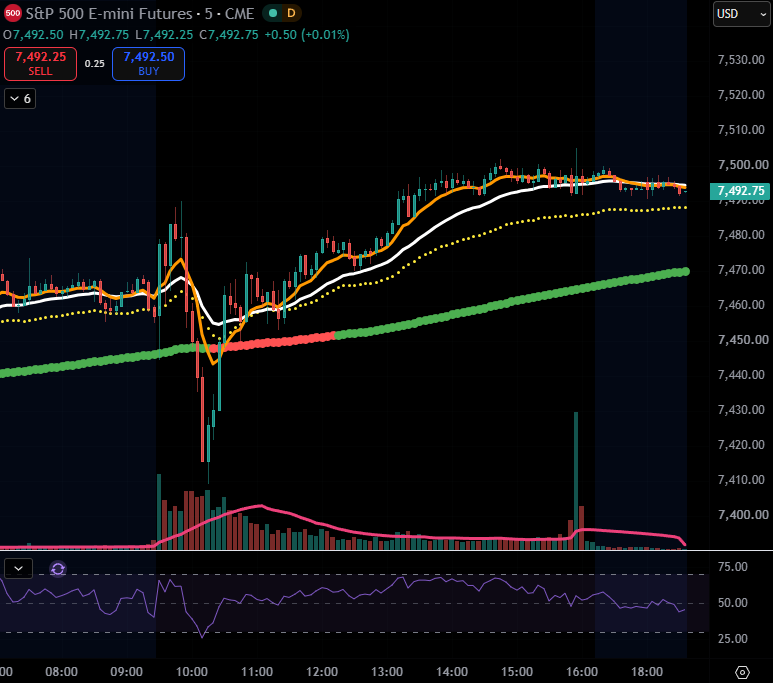
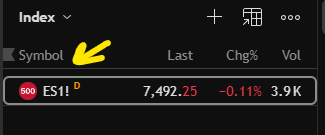
The one real catch is data, and if you trade futures you need to know this going in: TradingView shows CME futures (ES, NQ, and the rest) on a 10-minute delay by default. To get live futures data you buy the CME real-time package — about $7 a month for a retail account, on top of your subscription. Ten minutes doesn’t sound like much until you’re trying to trade off a 5-minute chart that’s running ten minutes behind the market. So budget for the data feed, not just the platform, and double-check the current rate in your account since exchange pricing shifts.
Features that matter
The charting toolset is deep, the screener is strong, and Pine Script lets you build or borrow almost any indicator. The honest catch is automation: there’s no native no-code backtester and no algorithmic pattern detection, which is the line between this and TrendSpider.
Ease of use
Ease of use is fairly straightforward. The navigation bar across the top keeps the core tools right where you expect them, so you’re charting within minutes of logging in — no manual required for the basics.

The trade-off for all that capability is depth: dig past the surface and the settings go a long way down, from indicator inputs to chart styles to alert conditions. For everyday charting it stays simple; it’s only when you want to fine-tune that you find out how much is under the hood. Not a complaint — just know the depth is there when you’re ready for it.
Data and coverage
Coverage spans global markets and real-time data is solid on the paid tiers. One thing to budget for: per-exchange data subscriptions stack on top of the base price, so the “cheap” tier can creep.
Pricing & fees
| Plan | Price | Notes |
|---|---|---|
| Free | $0 | Delayed data, single chart, limited indicators |
| Essential | $12.95/mo | Real-time data, more indicators |
| Plus | $24.95/mo | More charts per tab, more alerts |
| Premium | $59.95/mo | Most charts, second-based intervals |
Pros & cons
Pros
- A free tier that's genuinely usable — so you can test your whole approach before paying a cent
- The largest community script library anywhere — which means most indicators you'll ever want already exist, for free
- Clean enough to learn in an afternoon — so you spend your time charting, not reading manuals
- Stocks, futures, forex and crypto in one place — so you're not juggling three logins and three bills
- Trade straight from the chart via broker integrations — so your analysis and execution finally live together
Cons
- No automated pattern detection (TrendSpider wins here)
- No true no-code backtesting
- Real-time data and multi-chart layouts need a paid tier
- Per-exchange data fees add up
Safety & trust
What traders actually say
The recurring praise
The charting experience and the depth of the community script library come up over and over — most traders describe it as the tool they keep coming back to, whatever else they try.
The recurring gripe
The cost creep. Real-time data and per-exchange add-ons stack on top of the base plan, and the jump from the free tier to something genuinely useful feels steeper than the sticker price suggests.
Sampled from app-store reviews and trading-community threads we sampled. We aggregate real user sentiment — we never run vendor-submitted or paid reviews.
Alternatives
TrendSpider
Automation & no-code backtesting
TC2000
Screening + charting, lower price
thinkorswim
Full broker platform from Schwab
FAQ
Is the TradingView free plan enough?
For chart analysis and occasional use, yes. Active traders will want real-time data from a paid tier.
Is TradingView a broker?
No — it's a charting platform, though it integrates with several brokers so you can trade from the chart.
TradingView or TrendSpider?
TradingView for charting and community; TrendSpider for automation and no-code backtesting. Many traders run both.
The verdict
TradingView is the platform most traders end up measuring everything else against: the deepest community, strong screeners, the widest asset coverage, and a free tier that's genuinely usable. It just leaves automation and backtesting to its rivals.
Visit TradingView →